How to Humanize AI LinkedIn Posts (So People Actually Engage)
AI LinkedIn posts all sound the same. Learn how to humanize them: fix the hook, cut the clichés, add real stories, and format for the feed.
Scroll LinkedIn for two minutes and you'll see it. *"In today's fast-paced world… Here's what I learned 👇… Let that sink in."* A big share of the feed now comes from ChatGPT and other AI tools, and readers have become very good at spotting it. They scroll straight past.
That's a shame, because AI is great for getting a first draft out of your head. The trick is editing that draft until it sounds like *you*: a specific person with a specific opinion and a story nobody else has. This guide shows you how.
How readers spot an AI LinkedIn post
Most AI posts share the same fingerprints:
- The generic hook: "In today's rapidly evolving landscape…" or "Let's talk about leadership."
- The broetry format: one short line, a blank line, another short line, all the way down.
- The emoji bullets: 🚀 ✅ 💡 at the start of every line.
- Abstract lessons without a story: "Consistency is key. Growth happens outside your comfort zone."
- The stock closer: "What are your thoughts? Drop them in the comments 👇" or "Agree?"
- Overused words: *delve, leverage, game-changer, unlock, elevate, journey, navigate, embrace*.
LinkedIn readers are professionals reading about their own industry. Polished but generic writing feels like an ad, and people skip ads.
Step 1: Give the AI your raw material
The biggest reason AI posts feel empty is that the prompt was empty. "Write a LinkedIn post about leadership" can only give you an average of every leadership post ever written.
Instead, give it the specifics:
- What happened: "Our biggest client cancelled on Tuesday."
- What you did: "I called them instead of emailing and found out the real reason was billing."
- What you learned: "Half our churn might be fixable admin problems."
- Your actual opinion: "I think most 'churn analysis' is too focused on product."
Ask the AI to *structure* your story, not invent one.
Step 2: Rewrite the hook yourself
The first one or two lines are all most people see before "…see more." AI hooks are almost always weak because they're safe.
AI hook: "Leadership is about more than just managing people."
Human hooks:
- "A client fired us on Tuesday. By Friday they were back, and it had nothing to do with our product."
- "I made a hiring mistake that cost us six months. Here's the question I ask now."
- "Unpopular opinion: weekly 1:1s are mostly a waste of time."
Good hooks are specific, slightly surprising, or open a story the reader wants to see finished.
Step 3: Replace lessons with stories
AI gives you conclusions. Humans give you the scene that led to the conclusion.
| AI line | Human version |
|---|---|
| "Communication is key to team success." | "Our standup was 25 minutes of status updates. We cut it to three questions, and it now takes eight." |
| "Failure is a stepping stone to success." | "Our first launch got 11 signups. Ten of them were my friends." |
| "Always listen to your customers." | "A customer emailed us a 2,000-word complaint. We built half of it into the next release." |
Names, numbers, times and places make a post believable. Keep anything confidential vague, but keep it concrete.
Step 4: Fix the formatting
The one-line-per-paragraph style isn't banned, but a whole post of it reads as robotic. Mix it up:
- Use 2–3 sentence paragraphs for the story.
- Use a short line on its own only for emphasis, once or twice.
- Use one list at most, and only when the content really is a list.
- Use zero to two emojis, and only where you'd use them in a message to a colleague.
- Keep hashtags to three or fewer, at the end.
Step 5: Add an opinion
AI is trained to be balanced, so it hedges everything. LinkedIn rewards a point of view. Somewhere in the post, say what *you* think, even if some readers disagree:
"I know this is unpopular, but I'd rather hire someone who's switched careers twice than someone with a perfect CV."
Opinions start conversations. Conversations bring comments, and comments are what spread a post.
Step 6: End with a real question (or no question at all)
"Thoughts? 👇" is the LinkedIn equivalent of "Any questions?" at the end of a meeting. Ask something specific that people can answer from their own experience:
- "What's the one meeting you'd cancel if you could?"
- "Has anyone actually made weekly 1:1s work? What's the format?"
Or skip the question and end on your strongest line. Not every post needs a call to action.
Step 7: Smooth the rhythm with a humanizer
Once the story, hook and opinion are yours, run the post through the free AI humanizer to catch the leftover stiffness: repeated sentence lengths, AI transition words, and phrases that are a bit too polished. Tips:
- Choose a casual or professional tone, depending on your audience.
- Use Lite mode for a post you've already edited heavily. It keeps your wording and just smooths the flow.
- Use Ultra if the draft is still mostly AI and you want a deeper rewrite. Then add your details back in.
- Check that names, numbers and your opinion survived the rewrite.
For company-page posts or promotional content, the marketing copy humanizer is tuned to keep the offer and drop the hype words. If your drafts mainly come from ChatGPT, the ChatGPT humanizer targets GPT's specific habits.
Does LinkedIn penalise AI-written posts?
LinkedIn hasn't said it penalises AI content as such. Its feed favours posts that keep people reading, reacting and commenting, and generic AI posts tend to do badly on all three. In practice, the "penalty" comes from your readers, not the algorithm. Google takes a similar approach to AI content on the web: it acts on unhelpful content, not on how it was made. We cover that in does Google penalize AI content?
If you want a quick sense of how machine-like a draft reads, paste it into the free AI detector. Treat the result as a hint, not a verdict.
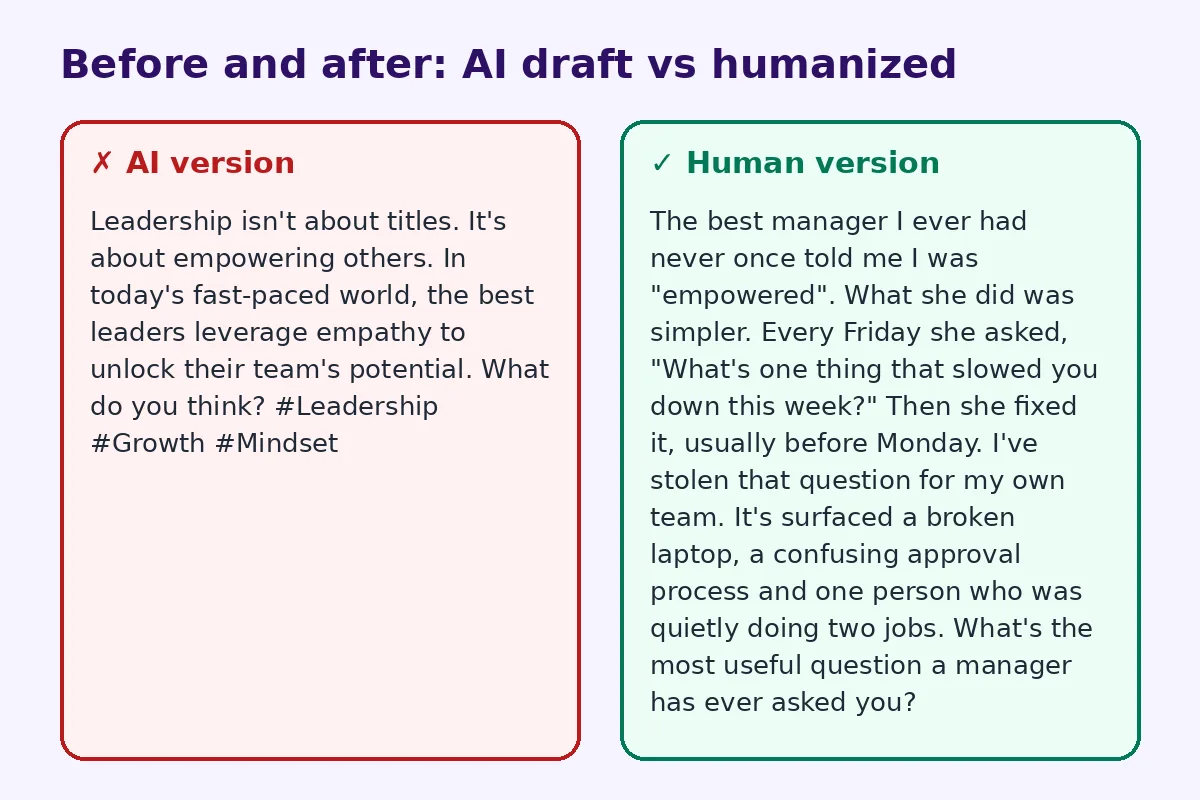
Before and after
AI version:
🚀 Leadership isn't about titles.
It's about empowering others.
In today's fast-paced world, the best leaders leverage empathy to unlock their team's potential.
What do you think? 👇
#Leadership #Growth #Mindset
Human version:
The best manager I ever had never once told me I was "empowered".
What she did was simpler. Every Friday she asked, "What's one thing that slowed you down this week?" Then she fixed it, usually before Monday.
I've stolen that question for my own team. It's surfaced a broken laptop, a confusing approval process and one person who was quietly doing two jobs.
What's the most useful question a manager has ever asked you?
The message is the same. One is a poster, and the other is a person.
Once your posts sound like you, make your profile easy to find offline too. A LinkedIn QR code on your resume, name badge or event slides sends people straight to your profile.
FAQ
Can people tell if a LinkedIn post is written by AI?
Often, yes. Readers notice generic hooks, emoji bullets, abstract lessons and stock closers. Adding a real story, specific details and your own opinion makes the post read as human.
Is it okay to use ChatGPT for LinkedIn posts?
Yes. Many professionals use AI to draft and organise their ideas. Keep the experiences and opinions your own, and edit the draft so it matches how you actually speak.
How do I make a ChatGPT LinkedIn post sound more natural?
Give the AI specific details, rewrite the first two lines yourself, swap lessons for short stories, vary your paragraph lengths, cut buzzwords and emojis, and run a final pass through a humanizer.
Does an AI humanizer keep my hashtags and mentions?
It keeps your meaning, names and numbers. Still, check hashtags and @mentions after the rewrite, and re-add them if the formatting changes.
How long should a LinkedIn post be?
Most effective posts run 100–250 words. AI drafts often run longer, so trimming is part of making them sound human.
Can I humanize AI comments on LinkedIn too?
You can, but comments work best when they're short and spontaneous. One or two sentences in your own words usually beats any polished AI reply.
Try FreeHumanizerAI for free
Humanize AI text instantly. No signup, up to 5,000 words per session, and your text is not stored.
Open AI HumanizerRelated guides
- GuideDoes Google Penalize AI Content? What the Guidelines Actually Say in 2026Google's rule is about helpfulness, not authorship. Here is what the guidelines say, what gets sites hit, and a publishing checklist.Read
- GuideHow to Make an AI-Written Bio Sound Like YouUsed ChatGPT to write your professional bio or About Me? Rewrite it so it sounds human, with real examples for LinkedIn, websites and speaker bios.Read
- GuideHow to Make ChatGPT Sound Human: 9 Edits That Actually WorkChatGPT writes clean, flat prose. These nine edits, from prompt to final read-through, make it sound like a person wrote it.Read