How to Make an AI-Written Bio Sound Like You
Used ChatGPT to write your professional bio or About Me? Rewrite it so it sounds human, with real examples for LinkedIn, websites and speaker bios.
Writing about yourself is awkward, so a lot of people ask ChatGPT to do it. The result is usually polished and completely interchangeable: "A results-driven professional with a passion for innovation and a proven track record of excellence." Swap the name and it could be anyone. Readers skim it, and you lose the one place where people actually want to know who you are.
This guide shows how to take an AI-written bio and make it sound like a real person. It works for LinkedIn summaries, website About pages, speaker bios, author bios, freelancer profiles and social media.
Why AI bios all sound the same
AI tools are trained to produce safe, general text. With bios, that leads to:
- Buzzword stacks: "dynamic, strategic, results-oriented".
- Claims without proof: "proven track record" with no track record shown.
- No personality: nothing about how you work, what you care about or what makes you different.
- The same opening line: "With over X years of experience in..."
The fix isn't to throw the draft away. Keep the structure and replace the vague parts with specifics.
Step 1: Decide where the bio will live
Length and tone depend on the place:
- LinkedIn summary: first person, 3 to 5 short paragraphs, conversational.
- Website About page: first or third person, focused on what clients get.
- Speaker or author bio: third person, 50 to 100 words, one credential and one human detail.
- Social profiles: one or two lines, personality first.
Ask the AI for the right format, then edit.
Step 2: Replace every adjective with a fact
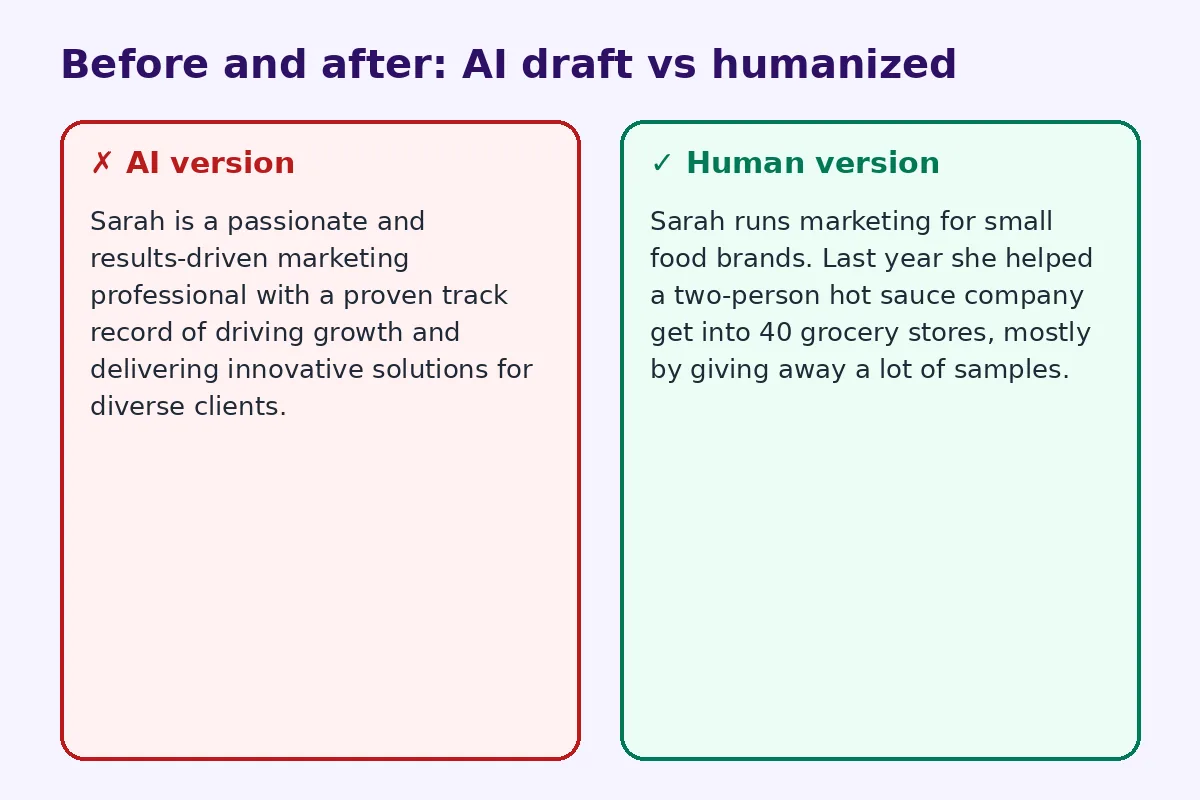
Any adjective that describes you ("passionate", "experienced", "innovative") should become a fact that shows it.
AI version:
Sarah is a passionate and results-driven marketing professional with a proven track record of driving growth and delivering innovative solutions for diverse clients.
Human version:
Sarah runs marketing for small food brands. Last year she helped a two-person hot sauce company get into 40 grocery stores, mostly by giving away a lot of samples.
The second version is shorter, more specific and much easier to remember.
Step 3: Say what you actually do
Readers want to know what you do in plain words. "I help clinics fill their appointment calendars" is clearer than "I empower healthcare organizations to optimize patient engagement." Write the sentence you'd use if a neighbor asked about your job.
Step 4: Add one human detail
A small personal detail makes a bio stick: where you grew up, a side project, a hobby that connects to your work, or why you started. One sentence is enough. Keep it relevant and avoid oversharing.
Step 5: Fix the voice
Read the bio out loud. If it sounds like a press release, loosen it:
- Use contractions in first-person bios.
- Mix short and long sentences.
- Cut words like "leverage", "synergy", "spearheaded" and "passionate about".
- Remove the opening "With over X years of experience" unless the number really matters.
For longer About pages, a humanizer for AI text can smooth out stiff phrasing in one pass. Then put your real details back in, because no tool knows your story.
Step 6: End with an easy next step
A good bio tells people what to do next: connect, email, book a call or see your work. Keep it to one action.
If people often meet you in person, make that step offline too. Put a vCard QR code on your business card, slide or name badge so people can save your contact in one scan instead of searching for your bio later.
Example: speaker bio
AI draft:
John Doe is a visionary leader and sought-after speaker with extensive expertise in digital transformation, empowering organizations worldwide to unlock their full potential.
Humanized rewrite:
John helps family-owned factories move their paperwork onto tablets without losing the people who've run things for 30 years. He's done it at 25 plants across three countries and still keeps a clipboard on his desk out of habit.
Example: LinkedIn About section
AI draft:
I am a dedicated and detail-oriented accounting professional with over 8 years of experience delivering exceptional financial solutions and driving operational excellence across diverse industries.
Humanized rewrite:
I'm an accountant who likes messy books. For eight years I've helped restaurants and small shops figure out where their money actually goes, usually with a spreadsheet and a lot of receipts. If your month-end close takes longer than a week, let's talk.
Notice what changed: a clear niche, a real habit, a specific problem the reader might have, and a direct invitation.
Bio mistakes to avoid
- Listing every job you've had. A bio isn't a resume. Pick the parts that matter to this reader.
- Too many credentials up front. One strong credential beats five weak ones.
- Writing for everyone. A bio aimed at "anyone who needs help" persuades no one. Name your audience.
- Forgetting to update it. An old bio with a past job title confuses people. Review it every few months.
- Copying the AI draft word for word. If a friend couldn't tell it's yours, it isn't finished.
A simple bio template
Use this as a starting point:
- What you do, in plain words (one sentence).
- Who you do it for (one sentence).
- One proof point (a number, a project, a result).
- One human detail (one sentence).
- What to do next (one line).
Ask AI to fill it in if you like, then rewrite every line in your own words.
Should you use AI for your bio at all?
Using AI to get past a blank page is fine. It's good at structure and grammar. The parts it can't supply are your real results and personality, and those are what make a bio work. Think of AI as a rough draft and you as the editor. The same approach works for other personal writing, like LinkedIn posts and cover letters.
Quick checklist
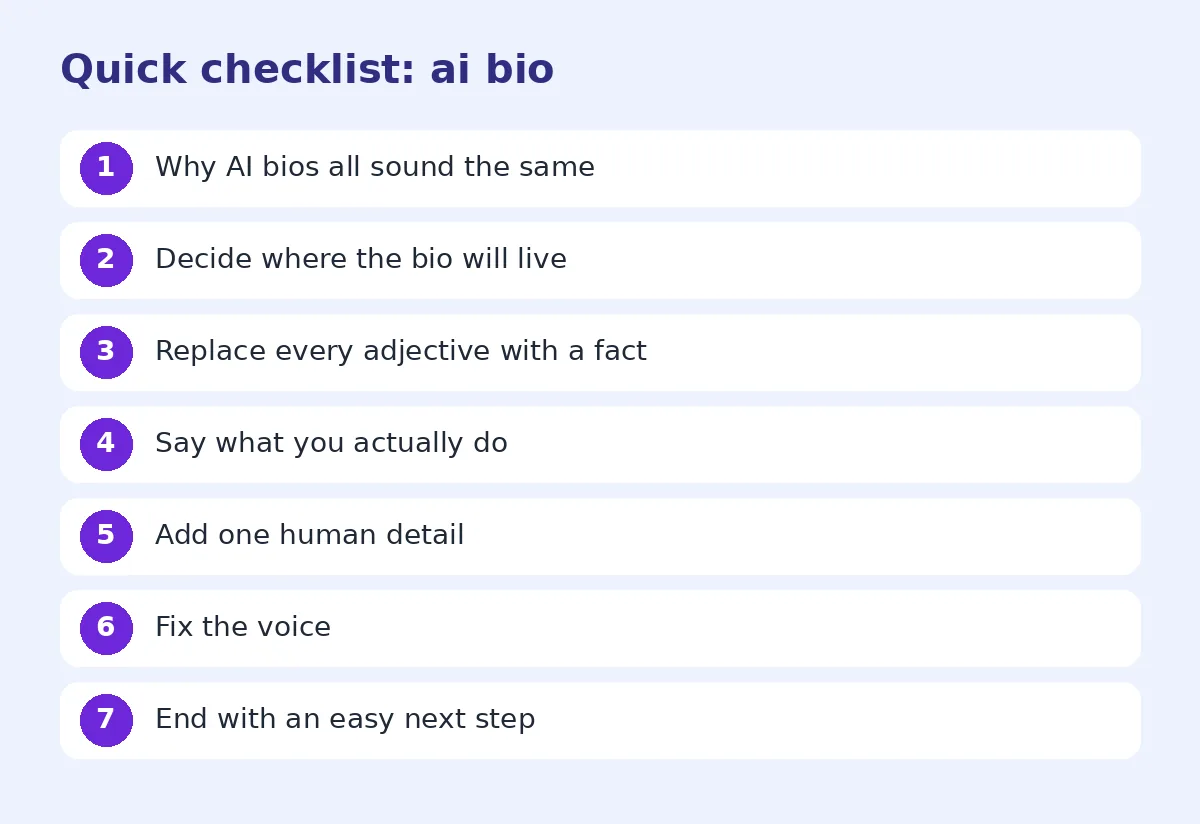
- Every adjective replaced with a fact
- Plain description of what you do
- One proof point and one human detail
- No buzzwords or AI clichés
- Right length and person for the platform
- Clear next step at the end
FAQ
Can I use ChatGPT to write my professional bio? Yes. Use it for a first draft, then replace generic claims with specific facts and add a personal detail so it sounds like you.
Should my bio be in first or third person? First person for LinkedIn and most social profiles. Third person for speaker, author and press bios. Website About pages can use either.
How long should a professional bio be? About 50 to 100 words for speaker and author bios, and 150 to 300 words for LinkedIn or an About page.
What words should I avoid in my bio? Avoid buzzwords like "results-driven", "passionate", "synergy" and "proven track record" unless you back them up with a real example.
How do I make my bio memorable? Add one specific result and one human detail. People remember stories and numbers, not adjectives.
Try FreeHumanizerAI for free
Humanize AI text instantly. No signup, up to 5,000 words per session, and your text is not stored.
Open AI HumanizerRelated guides
- GuideHow to Humanize AI LinkedIn Posts (So People Actually Engage)AI LinkedIn posts all sound the same. Learn how to humanize them: fix the hook, cut the clichés, add real stories, and format for the feed.Read
- GuideHow to Make an AI Cover Letter Sound Human (and Actually Get Read)Turn a ChatGPT cover letter into one that sounds like you. Cut AI phrases, add real proof, fix the opening, and check the tone before you apply.Read
- GuideHow to Edit AI Content to Sound Natural: A Line-by-Line MethodA practical editing checklist for AI drafts, with worked examples. Fifteen minutes per article, no tricks, and the result reads like you wrote it.Read