
How to Humanize AI Discussion Board Posts (and Replies) for Class
Make AI-assisted discussion board posts and replies sound like you. Tips for Canvas, Blackboard and Moodle posts, peer replies, and course AI rules.
Online courses run on discussion boards. Every week brings a prompt, an initial post of 250–300 words, and two or three replies to classmates. It's repetitive, so many students now ask ChatGPT for a first draft. The trouble is that instructors read dozens of posts per prompt. When ten of them open with "This is a thought-provoking question" and close with "In conclusion, this topic highlights the importance of…", nobody needs a detector to notice.
This guide explains how to turn an AI-assisted draft into a post that sounds like a real student engaging with the course, while staying inside your institution's AI rules.
First: know your course AI policy
Policies vary a lot. Some instructors allow AI for brainstorming and grammar. Others require disclosure, and some forbid it entirely. Check the syllabus and follow it. Humanizing a draft doesn't change what the policy allows. Our page on AI humanizer use for students covers responsible use in more detail.
Why AI discussion posts stand out
- Formulaic openings such as "Great question!" or "This week's reading raises important points."
- No course specifics. No page numbers, lecture references or named concepts from your unit.
- Over-agreeable replies. "I completely agree with your insightful post" with nothing added.
- Uniform structure. Intro, three points, conclusion, every single time.
- Missing opinion. AI hedges. Discussion boards reward a clear position.
Many instructors also run posts through detection tools. Results vary a lot between tools, so see can Turnitin detect AI writing and how accurate are AI detectors.
Step 1: Anchor the post in this week's material
Add at least two concrete references:
- a quote or page number from the assigned reading
- a concept named in the lecture
- an example from a case study your class covered
AI doesn't know what your instructor said on Tuesday. These details make the post unmistakably yours, and they're usually what the grading rubric asks for.
Step 2: Take a position
Rewrite the first sentence so it states what *you* think.
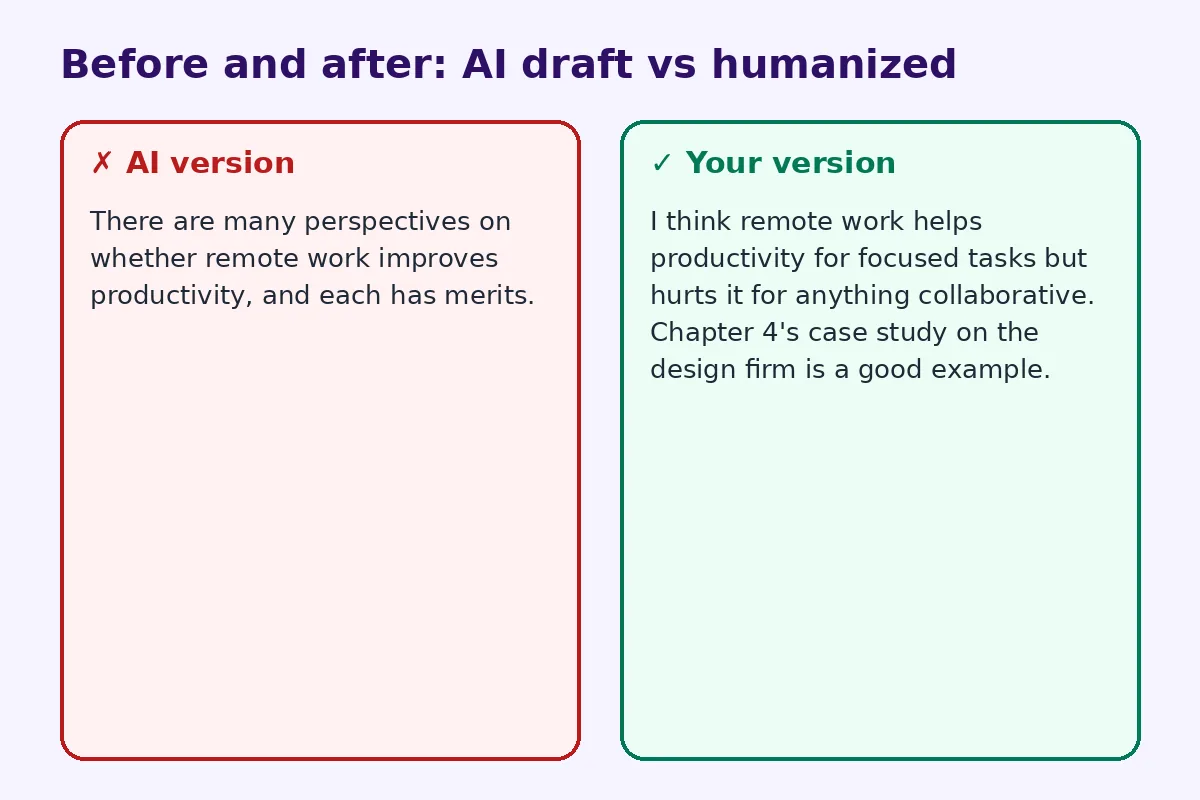
AI version:
There are many perspectives on whether remote work improves productivity, and each has merits.
Your version:
I think remote work helps productivity for focused tasks but hurts it for anything collaborative. Chapter 4's case study on the design firm is a good example.
Step 3: Add one personal or local example
A job, an internship, your city, a news story you read. One sentence of lived experience changes the tone of the whole post.
At my part-time job, our team switched to async updates last year, and meetings dropped from five a week to one.
Step 4: Make replies actually reply
Weak replies are the biggest giveaway. A good reply does one of these:
- Extends the classmate's point with a new example
- Questions it respectfully ("Would that still hold for smaller companies?")
- Connects it to another reading
- Disagrees with a reason
Address the classmate by name, and quote a specific line they wrote. That alone separates you from generic AI replies.
Step 5: Loosen the tone
Discussion boards are semi-formal. Contractions are fine. Short sentences are fine. A question at the end invites replies. Remove "furthermore", "moreover" and "in conclusion". For more general techniques, read how to edit AI content to sound natural.
Step 6: Use a humanizer for leftover stiffness, then review
If some sentences still sound robotic after your edit, paste them into the free AI humanizer. It rewrites phrasing while keeping your facts, citations and names. Then read the result once more and make sure every claim is still accurate and still yours. You can sanity-check the tone with the AI detector. Treat the score as a hint, not a verdict.
Before-and-after example
AI draft initial post:
This week's topic on ethical leadership is very important in today's business environment. Ethical leaders inspire trust, promote transparency, and foster a positive organisational culture. In conclusion, ethical leadership is essential for long-term success.
Humanized post:
Ciulla's point in this week's reading stuck with me: ethics isn't a leadership "style", it's a baseline. I saw the opposite at a retail job where the manager hit sales targets by quietly cutting breaks. Numbers went up for two months, then half the staff quit. I'd argue unethical leadership is mostly a slow way of losing money. Has anyone seen a case where it paid off long term?
The second version cites the reading, takes a stance, adds experience and invites discussion. That's what graders reward.
Quick template you can reuse
- Your position in one sentence.
- Evidence from the course (reading, lecture, case).
- A personal or real-world example.
- A counterpoint or limitation.
- A question for classmates.
That's roughly 200–300 words, which is typical for an initial post.
Time-saving tips that don't rely on AI
- Read the prompt first, then skim the reading for one quote you could use.
- Draft on your phone between classes in plain language, then tidy it later.
- Reply to classmates whose posts genuinely interest you. Real interest produces better replies, faster.
Adapting to different platforms
Canvas, Blackboard, Moodle and D2L all handle discussions slightly differently. A few quick notes:
- Formatting: most boards strip complex formatting. Keep paragraphs short, and use a simple list if you need structure.
- Post-first settings: some courses hide classmates' posts until you post. Write your initial post before reading others, so it stays original.
- Late replies: if replies are due later in the week, set a reminder. Rushed last-minute replies are where students lean hardest on AI, and where it shows most.
- Attachments and links: cite links to the actual reading or source, not to an AI chat.
Common mistakes to avoid
- Pasting AI output without adding a single course reference.
- Replying "Great post, I agree!" with nothing else.
- Exceeding the word limit because the AI draft rambled.
- Citing sources the AI invented. Always check every reference exists. AI tools often fabricate citations.
For longer assignments, the same principles apply. See rewrite a ChatGPT essay in your own voice.
FAQ
Can instructors tell if a discussion post is AI-written?
Often, yes. Not always through detectors, but because AI posts lack course-specific detail and personal perspective. Adding both is the best way to make your post genuinely yours.
Is it allowed to use AI for discussion posts?
It depends on your course policy. Check the syllabus, and disclose AI use if required.
How long should a discussion board post be?
Most courses ask for 200–300 words for the initial post and 75–150 words per reply. Always follow your instructor's rubric.
Will a humanizer make my post pass a detector?
A humanizer improves wording and rhythm, but no tool guarantees any score. Course-specific content and your own opinions matter more.
What makes a good reply to a classmate?
Use their name, quote a specific point, then extend, question or respectfully challenge it with a reason or example.
Is FreeHumanizerAI free for students?
Yes. It's free with no sign-up, and each session allows 5,000 words.
Try FreeHumanizerAI for free
Humanize AI text instantly. No signup, up to 5,000 words per session, and your text is not stored.
Open AI HumanizerRelated guides
- GuideHow to Rewrite a ChatGPT Essay in Your Own Voice (Without Losing the Argument)Used ChatGPT for a first draft? Here is how to make the essay yours, keep the argument, and stay inside your course's AI policy.Read
- GuideCan Turnitin Detect AI Writing? What Students Should Know in 2026Turnitin does flag AI writing, with limits. Here is how the indicator works, where it is weak, and what the score means for a student.Read
- GuideHow to Edit AI Content to Sound Natural: A Line-by-Line MethodA practical editing checklist for AI drafts, with worked examples. Fifteen minutes per article, no tricks, and the result reads like you wrote it.Read