
How to Humanize an AI Real Estate Listing So Buyers Actually Book a Viewing
AI property listings all sound the same. Learn how to humanize AI real estate listing descriptions with real details and a natural tone. Examples inside.
Open any property portal today and you will see the same sentences again and again: "Nestled in a vibrant neighborhood, this stunning home offers the perfect blend of comfort and style." "Boasting an abundance of natural light." "A true gem that won't last long." Many of these listings were written by AI, and buyers can feel it. The words are polished, but they say almost nothing about the actual house.
AI is a great time saver for agents and homeowners who write a lot of listings. But a raw AI draft rarely sells a property on its own. This guide shows you how to turn a generic AI listing into a description that sounds like someone who has actually walked through the front door.
Why AI listings sound the same
AI models learn from millions of existing listings, so they reproduce the most common phrases. That leads to a few clear patterns:
- Clichés. "Nestled", "boasting", "stunning", "gem", "oasis", "entertainer's dream".
- No numbers. "Spacious kitchen" instead of "4-meter kitchen with an island that seats three".
- Vague neighborhood claims. "Close to amenities" without naming a single school, park or station.
- Overpromising. Every home is "perfect", "luxurious" and "move-in ready".
- Same structure. Opening hook, room list, call to action, every time.
Buyers scroll through dozens of listings in one sitting. If yours sounds like the other twenty, the photos have to do all the work.
What buyers actually want from a listing
When buyers read a description, they want answers to practical questions:
- How big is it, and how is the space laid out?
- What condition is it in? What has been updated, and when?
- What is the light, noise and view really like?
- What is nearby, and how far is it on foot or by car?
- What are the running costs: fees, taxes, utilities?
- Is there anything I should know before I visit?
A good listing answers these clearly and honestly. A great listing does that with a little personality, so the home feels real.
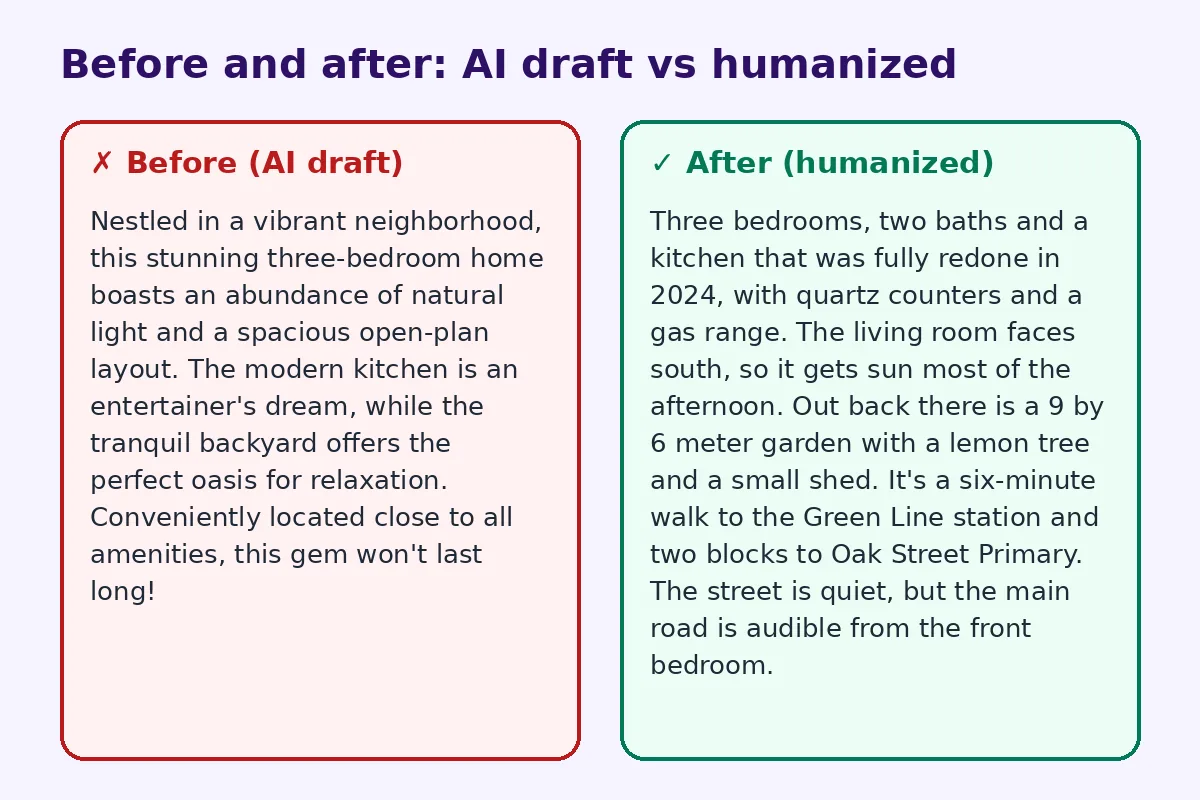
Before and after: a real rewrite
Before (AI draft):
Nestled in a vibrant neighborhood, this stunning three-bedroom home boasts an abundance of natural light and a spacious open-plan layout. The modern kitchen is an entertainer's dream, while the tranquil backyard offers the perfect oasis for relaxation. Conveniently located close to all amenities, this gem won't last long!
After (humanized):
Three bedrooms, two baths and a kitchen that was fully redone in 2024, with quartz counters and a gas range. The living room faces south, so it gets sun most of the afternoon. Out back there is a 9 by 6 meter garden with a lemon tree and a small shed. It's a six-minute walk to the Green Line station and two blocks to Oak Street Primary. The street is quiet, but the main road is audible from the front bedroom.
The humanized version has dates, sizes, directions, names and one honest note. It is more believable, and it gives buyers a reason to book a viewing.
Step 1: Gather the facts before you prompt
AI cannot see the property. Before you ask it to write, collect:
- Room count and sizes
- Year built and recent updates (roof, kitchen, wiring, windows)
- Direction the main rooms face
- Outdoor space size and features
- Parking and storage
- Nearby schools, transport, shops and parks, with walking times
- Fees, taxes or community charges
- Anything unusual: a shared driveway, a steep street, a noisy road
Then give the AI a clear prompt: "Write a 150-word listing description using only these facts. Plain language. No words like stunning, nestled, boasting or gem. Include one honest note."
Step 2: Delete the clichés
Go through the draft line by line and remove real estate filler words. Replace each one with a fact:
- "Stunning views" → "View of the hills from the main bedroom."
- "Abundance of natural light" → "South-facing living room with two large windows."
- "Close to amenities" → "Five minutes on foot to a supermarket and pharmacy."
- "Entertainer's dream" → "Kitchen island seats three, dining room fits a table for eight."
Our list of words that make text sound like AI catches many of the general ones too.
Step 3: Write from the buyer's point of view
Imagine walking through the home. What do you notice first? What would you tell a friend? "You come in through a wide hallway with built-in storage" feels more real than a list of features. Lead with the strongest point, whether that's the garden, the location or the recent renovation.
Step 4: Add one honest note
Every property has a downside. Mentioning a small one, like a busy road, a small second bedroom or stairs to the entrance, makes the rest of the listing more believable. It also saves time, because buyers who can't accept it won't book a viewing they'll walk out of.
Step 5: Vary the rhythm
AI writes sentences of similar length. Mix them. A short line. Then a longer one that explains a feature with a bit more detail. Read the listing aloud. If it sounds like a radio ad, keep editing.
Step 6: Check the facts and the rules
Listing descriptions have legal weight in many places. Make sure every size, date and claim is correct. Don't let the AI invent features. Check local rules on fair housing language and avoid phrases that describe who should live there, such as "perfect for a young family". Describe the property, not the ideal buyer.
Using a humanizer on listings
If you write many listings a week, an AI humanizer can quickly remove robotic phrasing and vary sentence patterns across listings, so your portfolio doesn't read like a template. For agencies, our tool for marketing copy works well for property brochures and email campaigns too. Always do a final fact check after any tool.
Connect the listing to the sign
The listing description is often read after a buyer sees the yard sign or window card. Many agents now add a QR code to the sign that opens the online listing, photos and viewing booking form. If you are setting that up, our sister site has a practical guide to real estate sign QR codes. A humanized description on the page the code opens makes the most of every scan from the street.
A simple listing structure
For most homes, this order works:
- Opening line: the strongest selling point, in one sentence.
- Layout: rooms, sizes and how they connect.
- Condition: updates and their dates.
- Outside: garden, balcony, parking.
- Location: named places with walking or driving times.
- Practical details: fees, taxes, availability.
- Honest note: one small thing buyers should know.
- Call to action: how to book a viewing.
Rentals and short-term listings
The same rules apply to rental listings. Renters want to know what's included, what the commute is like and what the landlord is like to deal with. A line such as "Maintenance requests are handled within 48 hours" says more than "professionally managed". For holiday homes, see our upcoming guide on humanizing short-term rental descriptions.
Common mistakes
- Using the same AI template for every property.
- Exaggerating size or condition.
- Leaving out practical details like fees.
- Writing about the lifestyle without describing the home.
- Forgetting to proofread names of streets and schools.
FAQ
Can I use AI to write real estate listings?
Yes, as a first draft. Then add real facts, remove clichés and check everything for accuracy before publishing.
What words should I avoid in a property listing?
Avoid filler like "nestled", "boasting", "stunning", "gem" and "won't last long" unless you can back them with specific details.
How long should a listing description be?
Usually 120 to 250 words for the main description, plus a features list.
Should I mention a property's downsides?
A small, honest note builds trust and saves time with unsuitable buyers.
Will a humanizer change the facts in my listing?
It may change wording, so always check sizes, dates and names afterwards.
Try FreeHumanizerAI for free
Humanize AI text instantly. No signup, up to 5,000 words per session, and your text is not stored.
Open AI HumanizerRelated guides
- GuideHow to Humanize AI Product Descriptions So They Actually SellAI product descriptions sound generic and hurt sales. Learn how to humanize them with real details, buyer language and a clear voice, with examples.Read
- GuideHow to Edit AI Content to Sound Natural: A Line-by-Line MethodA practical editing checklist for AI drafts, with worked examples. Fifteen minutes per article, no tricks, and the result reads like you wrote it.Read
- GuideDoes Google Penalize AI Content? What the Guidelines Actually Say in 2026Google's rule is about helpfulness, not authorship. Here is what the guidelines say, what gets sites hit, and a publishing checklist.Read